Help Centre / Quotes & Invoices / Choosing how your documents look
Choosing how your documents look
Pick one of five layouts and set your brand colour.
Every quote and invoice you send uses the layout and brand colour you choose here. Set it once and it applies to all your documents.
- Tap More, then Document Appearance.
- Choose a layout: Clean, Banner, Sidebar, Trade or Prestige.
- Pick a brand colour from the swatches, or enter your own hex code.
- Tap Save Changes.
- Clean — logo left, title right, thin accent rule.
- Banner — full-width colour header with white text.
- Sidebar — colour column down the left edge.
- Trade — compact header that maximises line-item space.
- Prestige — centred header, minimal borders, an open feel.
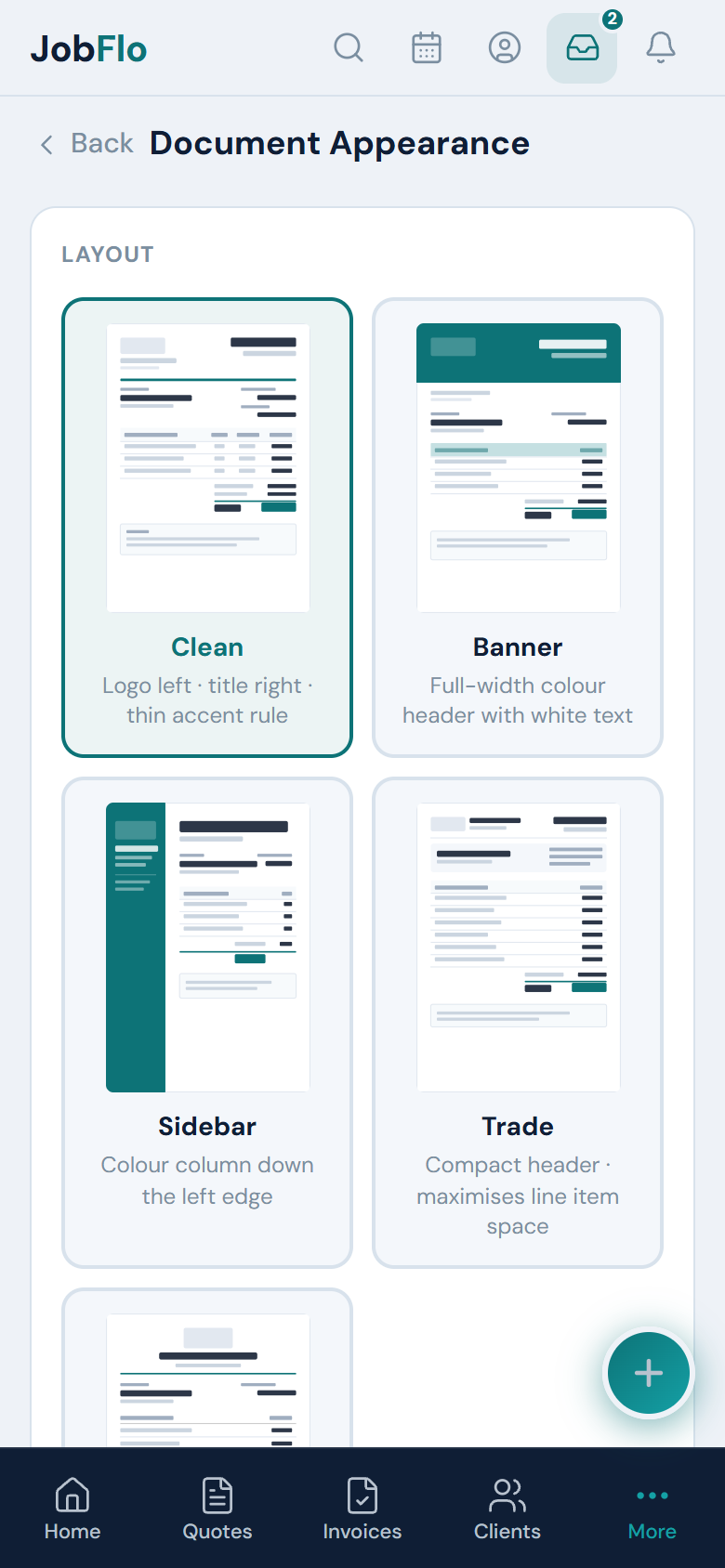
Only the business owner can change the document layout and brand colour.
Was this article helpful?
Still stuck? Contact JobFlo