Help Centre / Clients / Client notes and document history
Client notes and document history
See every quote and invoice for a customer, plus your notes, in one place.
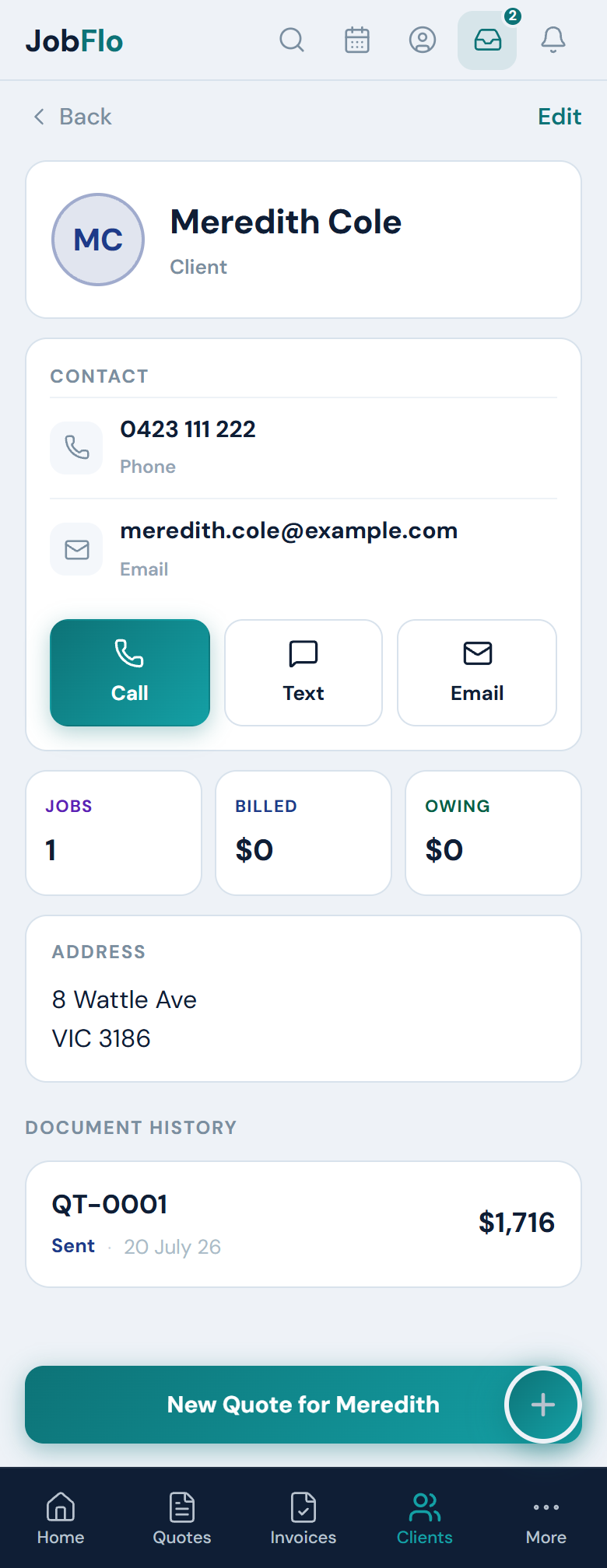
Each client has a profile that pulls together everything you have done for them — their totals, their jobs and any notes you keep on file.
- Open the Clients tab and tap a client to open their profile.
- The three cards at the top show JOBS (how many jobs you have done), BILLED (total invoiced) and OWING (what is still unpaid).
- Scroll to Document History to see every quote and invoice for that client, each with its status and amount — tap any one to open it.
Notes are handy for gate codes, a dog on site, or preferred contact times — anything you want on hand next visit. Add or change them by tapping Edit on the profile; they show in the Notes card.
Was this article helpful?
Related articles
Still stuck? Contact JobFlo