Help Centre / Reports & GST/BAS / Sales, profit & loss and ageing reports
Sales, profit & loss and ageing reports
What the Sales, Profit & Loss and Customer ageing reports each tell you about the business.
Beyond the dashboard, three reports do most of the heavy lifting: Sales shows what you have billed, Profit & Loss shows what you have kept, and Customer ageing shows who still owes you.
Sales
Open More → Reports → Sales by Date / Client. This is the revenue you have invoiced for the period, with a total, your average invoice size, and how many clients you billed. It breaks the total down by client and by month, week or day depending on the range you pick.
Profit & Loss
Open More → Reports → Profit & Loss. This takes the revenue you actually collected and subtracts your expenses to give a net profit and a margin. Expenses are grouped into categories, and split into overhead versus job costs so you can see where the money is going.
Keep in mind revenue here is cash collected in the period, and expenses are those dated within it — so it tracks money in and out, not amounts still owed to you.
Customer ageing
Open More → Reports → Customer ageing. This is your debtor list: how much is outstanding and how overdue it is, sorted into buckets — Current, 1–30 days, 31–60 days, 61–90 days, and 90+ days. The by-client table shows each client’s outstanding total and how many days their oldest unpaid invoice is overdue.
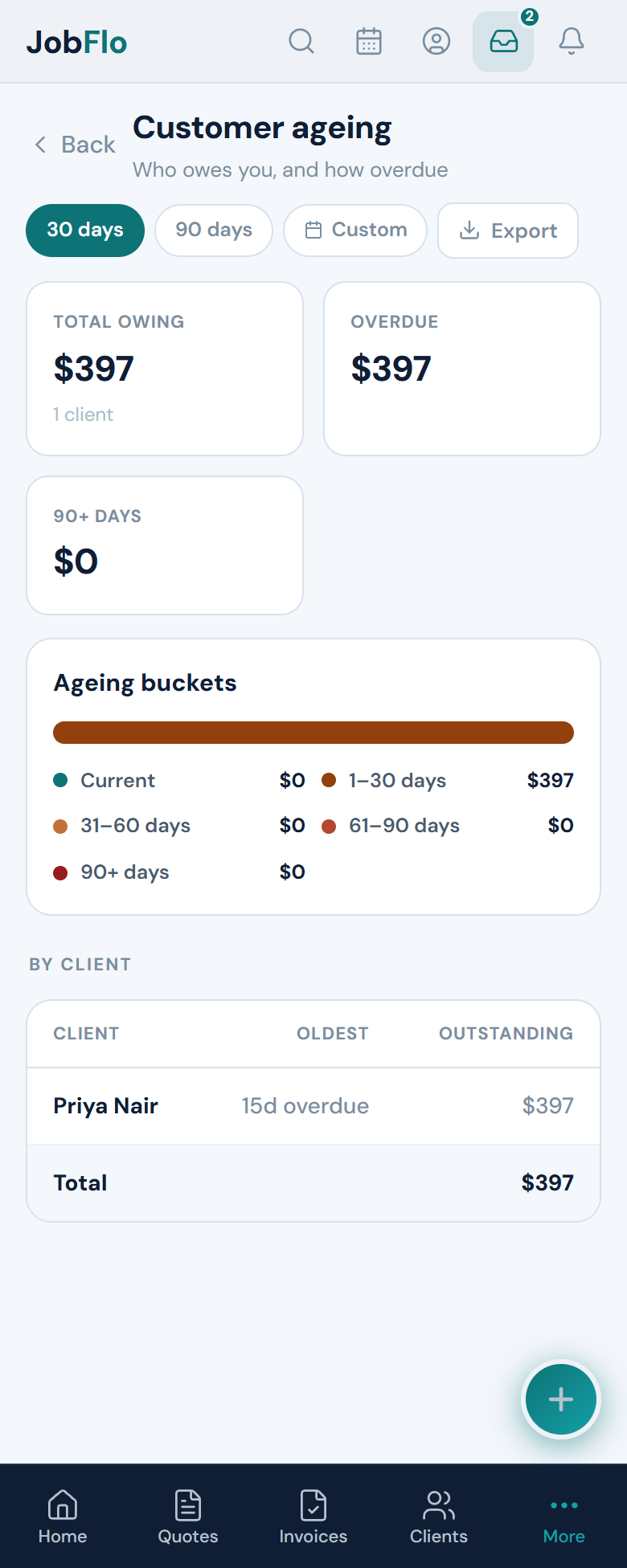
Use Customer ageing to decide who to chase. Anything sitting in the 60+ day buckets is usually worth a follow-up before it drifts further.
Was this article helpful?
Related articles
Still stuck? Contact JobFlo