Help Centre / Getting Paid / Set up how clients can pay you
Set up how clients can pay you
Turn on bank transfer, cash, cheque and card so the right options show on your invoices.
You choose which payment methods appear on your invoices and payment pages. Everything is managed in one place.
- Go to More → Client payment options.
- Under Bank Transfer, fill in your account name, BSB and account number — these show on invoices along with the invoice number as the payment reference.
- Toggle Cash on to add "Cash accepted" to your invoices and payment page.
- Toggle Cheque on to show your business name as the payee.
- Connect Stripe if you want to accept card payments.
- Tap Save.
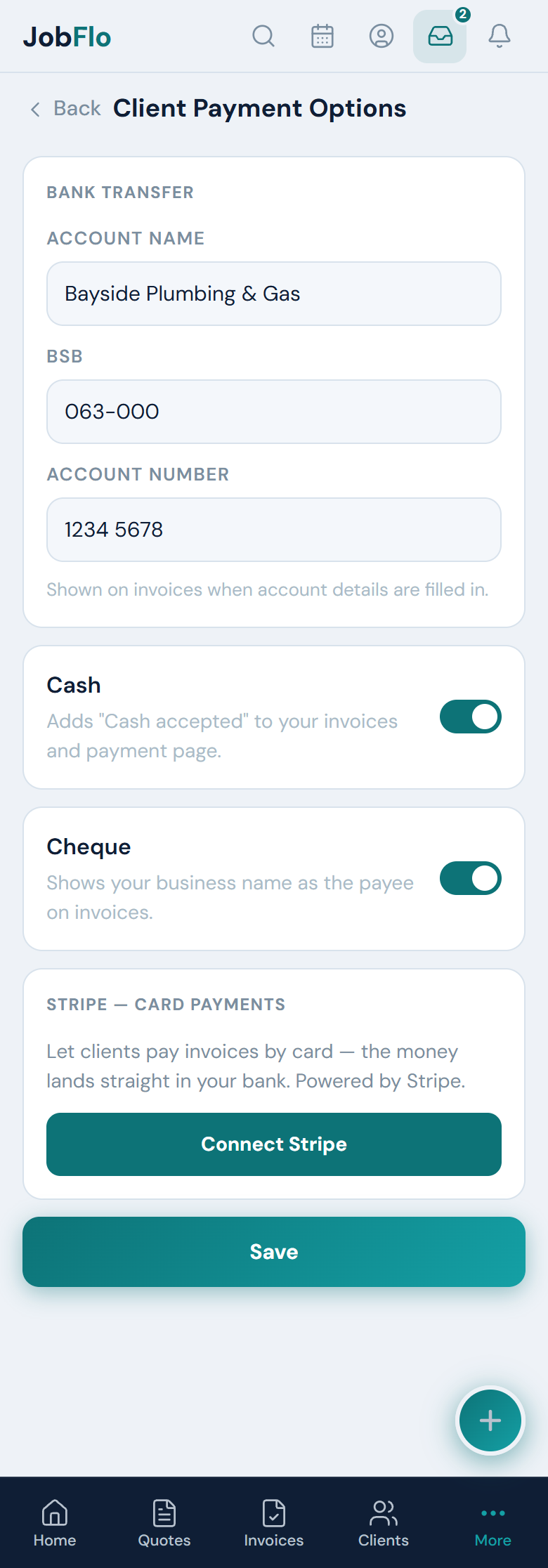
Bank transfer details only appear on invoices once you have filled them in, so leave the fields blank if you would rather not offer it. Each method is independent — turn on as many or as few as you like.
Was this article helpful?
Related articles
Still stuck? Contact JobFlo