Help Centre / Getting Paid / How card payments work
How card payments work
What happens when a client pays an invoice by card, and where the money goes.
When you send an invoice, the client gets a link to a payment page showing the amount due. If you have connected Stripe, that page includes a card payment button.
- The client opens the invoice link and taps the pay-by-card button.
- They enter their card details on a secure Stripe form.
- Stripe processes the charge on your connected account.
- The invoice updates to paid on its own — you do not need to record anything by hand.
The payment goes directly to your own Stripe account as a direct charge. JobFlo does not take a platform fee on top. Stripe deducts its standard processing fee, then pays the balance out to your bank on its own schedule.
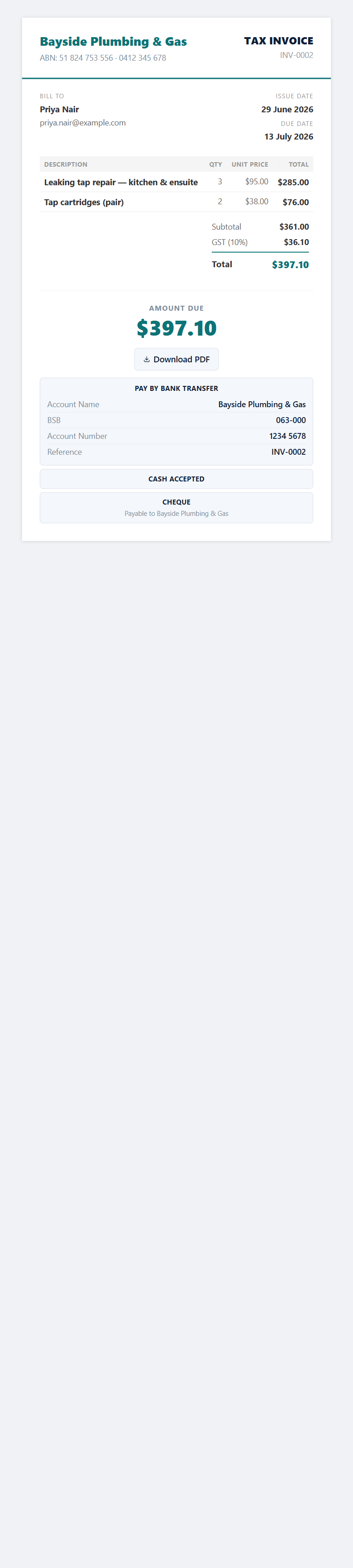
Card payments are charged in Australian dollars. The button only appears on invoices (not quotes) that still have a balance owing.
Was this article helpful?
Related articles
Still stuck? Contact JobFlo