Help Centre / Quotes & Invoices / What your client sees when they open a document
What your client sees when they open a document
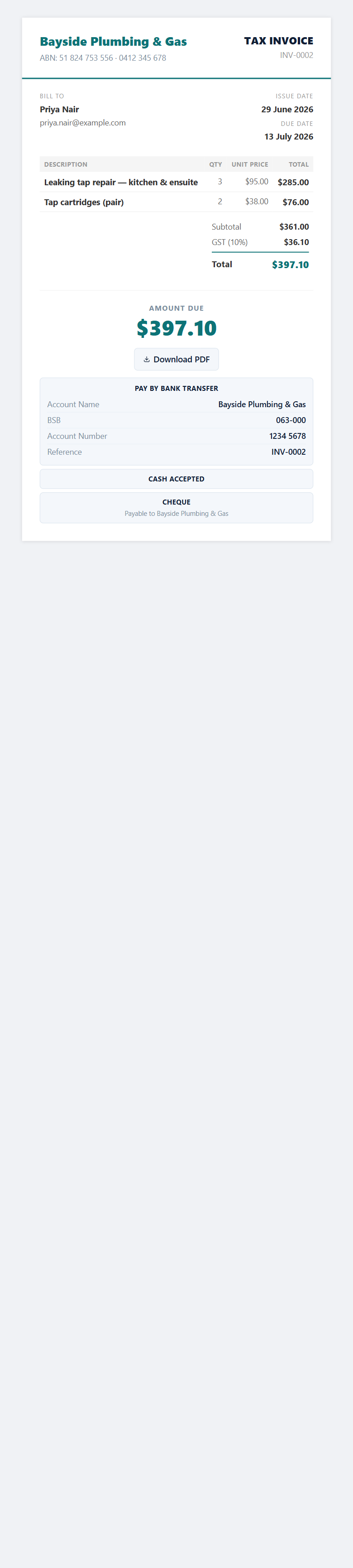
A clean web page of your document, with buttons to accept, pay or download.
When you send a document, your client gets an email with a link. Opening it shows a tidy web page of your quote or invoice — in your chosen layout and brand colour — that works on a phone or a computer. They do not need a JobFlo account.
On a quote
- They can read the full quote and download it as a PDF.
- They can sign to accept it, or decline it.
- You get notified when they open it and when they respond.
On an invoice
- They see the amount due and can download the PDF.
- If you have card payments switched on, they can pay by card there and then.
- Your bank transfer details, and any cash or cheque options you accept, are shown so they can pay however suits them.
Was this article helpful?
Related articles
Still stuck? Contact JobFlo