Your enquiries inbox
Every lead in one place — from your form, your QR code, or a phone call you jot down.
The Enquiries inbox keeps every lead together, wherever it came from: your enquiry form and QR code, plus anything you add yourself from a phone call, a walk-up or a social media message.
- Open Enquiries in the sidebar on a computer. In the app, tap the enquiries icon next to the notifications bell at the top of the screen.
- Use the tabs — New, Contacted, Quoted, Won and Lost — to see where each lead is up to.
- To add one yourself, select New enquiry, enter their name, how to reach them and what they need, and choose where it came from (Phone, Walk-up, Social DM or Other).
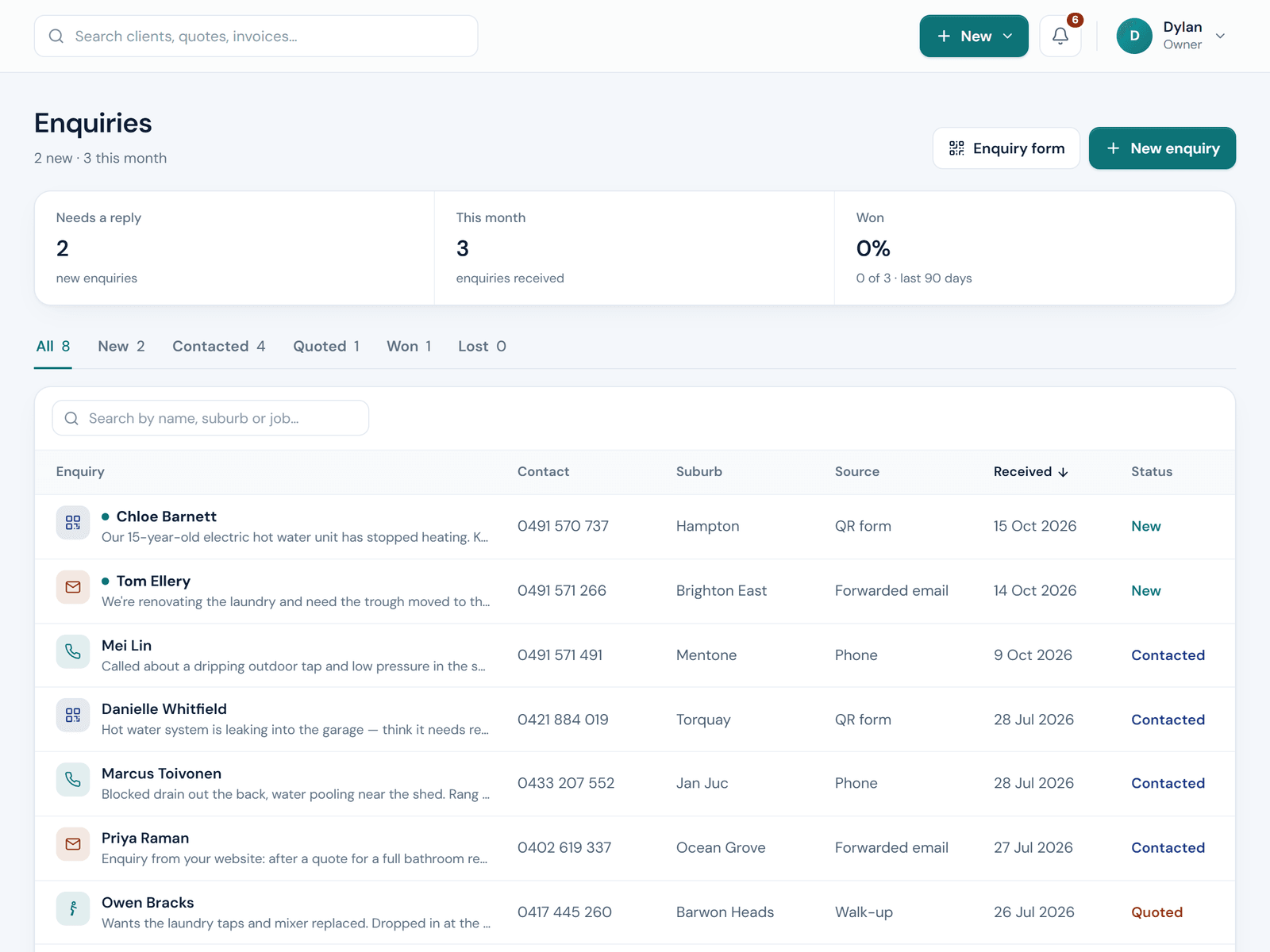
New enquiries show a count on the Enquiries menu and a card on your Home screen until you open them, so a lead never sits unnoticed.
Statuses update themselves
- Calling, texting or emailing from the enquiry moves it to Contacted.
- Sending them a quote moves it to Quoted.
- When they approve the quote, it moves to Won.
- If the job goes nowhere, use Mark as lost — or Mark as spam for junk.
Was this article helpful?