Your enquiry form and QR code
Get your own enquiry form link and QR code, so customers can send you a job without a phone call.
Every JobFlo business gets its own enquiry form — a simple page where a customer leaves their name, contact details and what they need. It works on any phone, there is nothing for them to install, and every submission lands in your Enquiries inbox.
- Go to Settings → Enquiries on a computer, or More → Enquiries in the app.
- Turn on Capture enquiries.
- Copy your form link (it looks like jobflo.au/e/your-business) with the copy button.
- Use the QR code under Print it anywhere — it opens the same form, no typing needed.
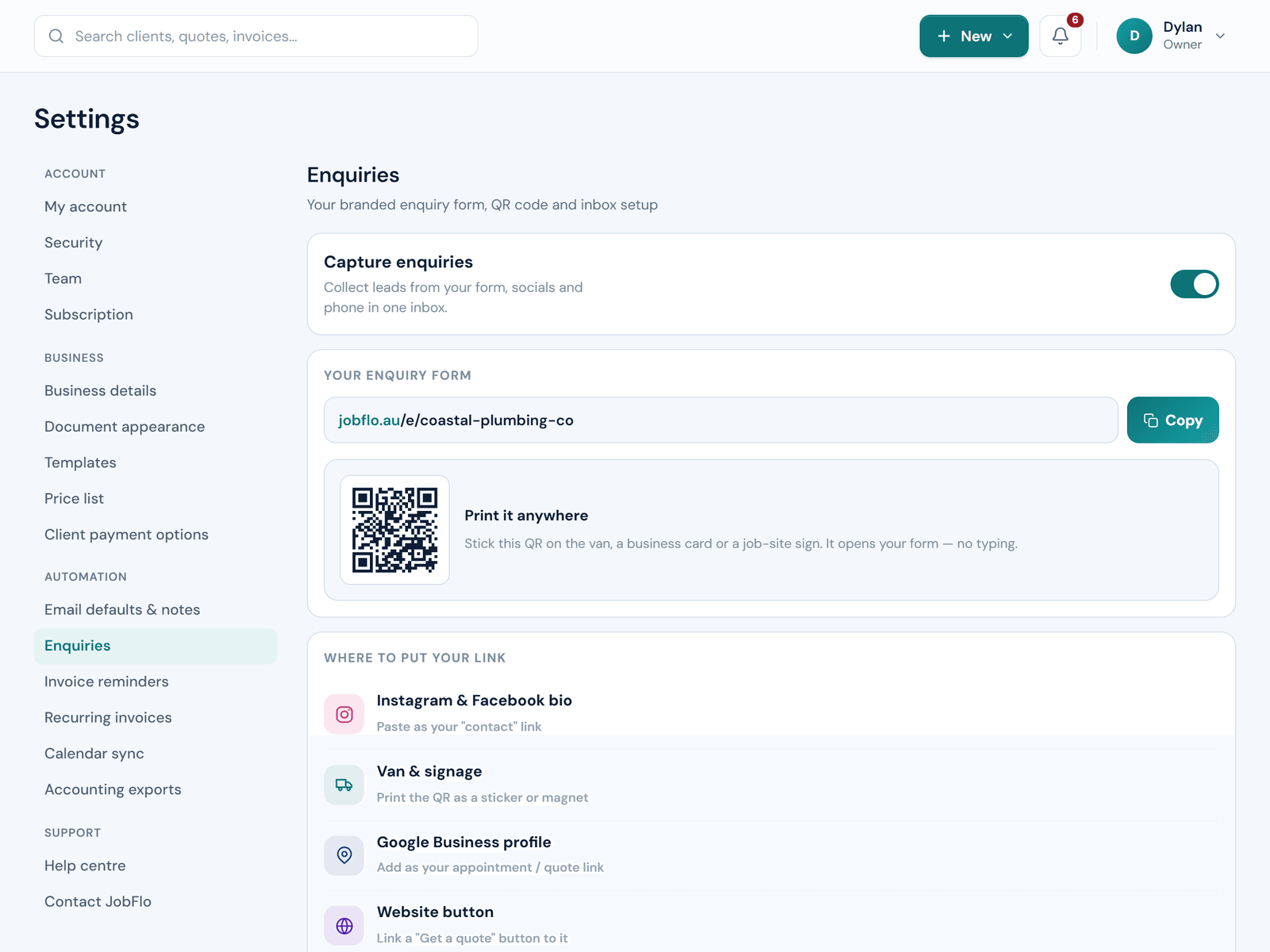
Where to put it
- Your Instagram and Facebook bio, as your contact link.
- Your van, business cards and job-site signs, as the QR code.
- Your Google Business profile, as your appointment or quote link.
- A "Get a quote" button on your website.
The enquiry form and inbox are included on every plan. Already have a form on your own website? On Pro and Business you can forward its emails into JobFlo too — see Forwarding enquiries from your website.
Was this article helpful?