Forwarding enquiries from your website
Send the emails from your existing website form to JobFlo, and each one becomes an enquiry.
If your website already has a contact form that emails you, you don’t need to change it. JobFlo gives you a forwarding address — send your form’s emails there and each one lands in your Enquiries inbox, with the customer’s name, contact details and job pulled out for you. Email forwarding is part of the Pro and Business plans.
- Go to Settings → Enquiries on a computer, or More → Enquiries in the app, and make sure Capture enquiries is on.
- Under Forward your website emails, copy your forwarding address (it looks like your-business@in.jobflo.au).
- Add it to your website form as a recipient or CC — in WordPress, Wix or Squarespace this is in the form’s notification or email settings. Or set up forwarding from your own inbox.
- Send a test enquiry through your website form and check it appears in your Enquiries inbox.
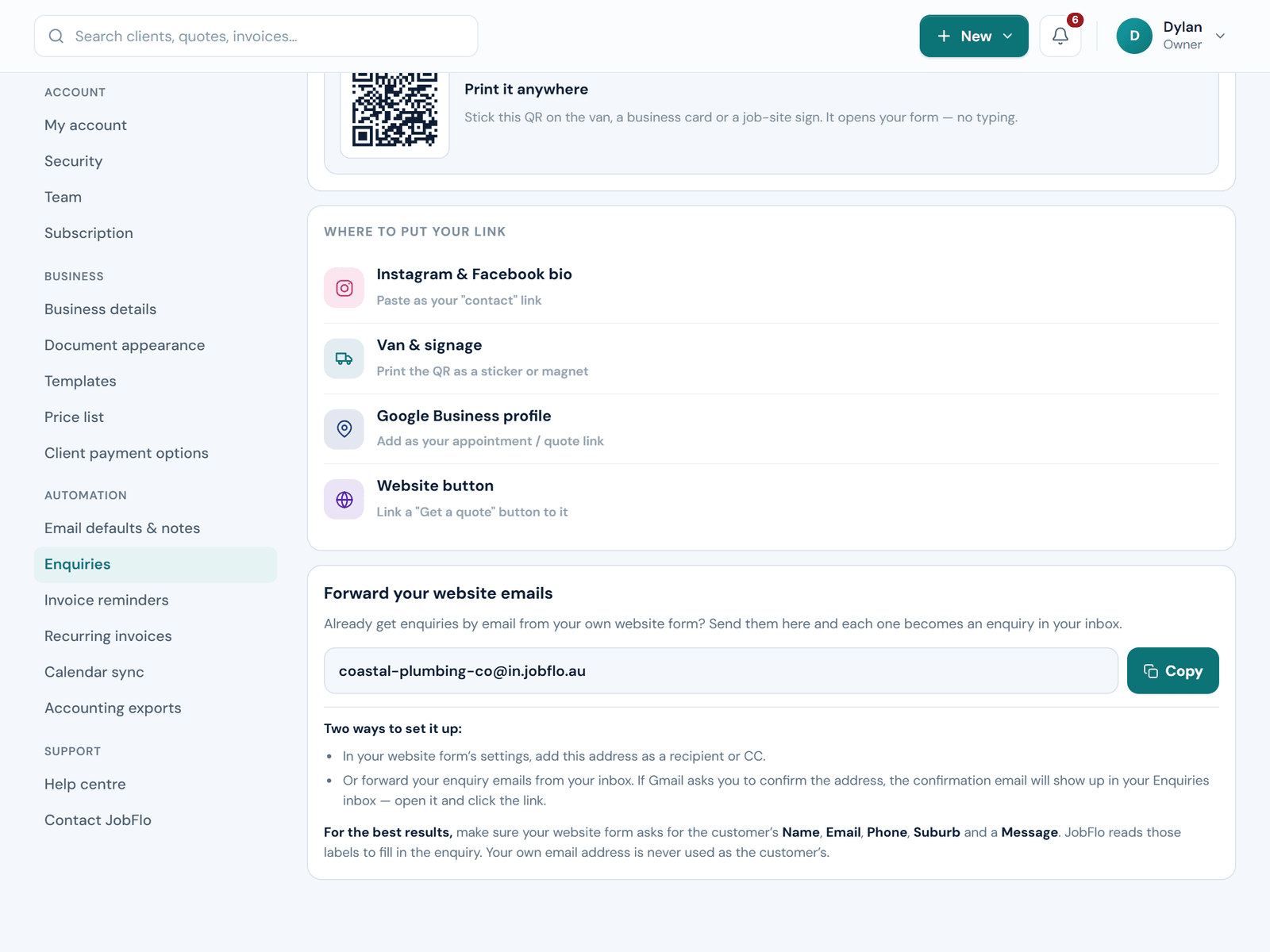
Forwarding from Gmail? Gmail sends a confirmation email to the new address before it starts forwarding. That confirmation shows up in your Enquiries inbox as “Email forwarding confirmation” — open it and click the link inside.
What your website form should ask for
JobFlo fills in the enquiry from the labels in the email, so make sure your form collects the customer’s details under clear labels:
- Name — or First name and Last name
- Phone (or Mobile)
- Suburb (or Address)
- Message — what they need done
An email from your form that looks like this becomes a complete enquiry: Name: Jo Smith Email: jo@example.com Phone: 0412 345 678 Suburb: Brunswick Message: Hot water system leaking in the garage
Your own email address — and your team’s — is never used as the customer’s. If you send a test from your own inbox, include an “Email:” line in it, otherwise the enquiry will have no email address.
If a form looks unusual, the whole email is kept as the enquiry’s message, so nothing is lost. Out-of-office replies and bounced-mail notices are ignored.
Was this article helpful?