Showing a quote or invoice as one line
Price the job line by line for yourself, but show the client a single summary line.
Sometimes you want to work out a price properly — labour, parts, call-out — but only show the client one line and a total. JobFlo lets you keep the breakdown to yourself.
- In the quote or invoice builder, find Show as next to Line items (in the app it is Show on invoice as).
- Choose One line.
- Check the Summary line the customer sees — JobFlo fills in a starting point from your first item, and you can change it.
- Save or send as normal.
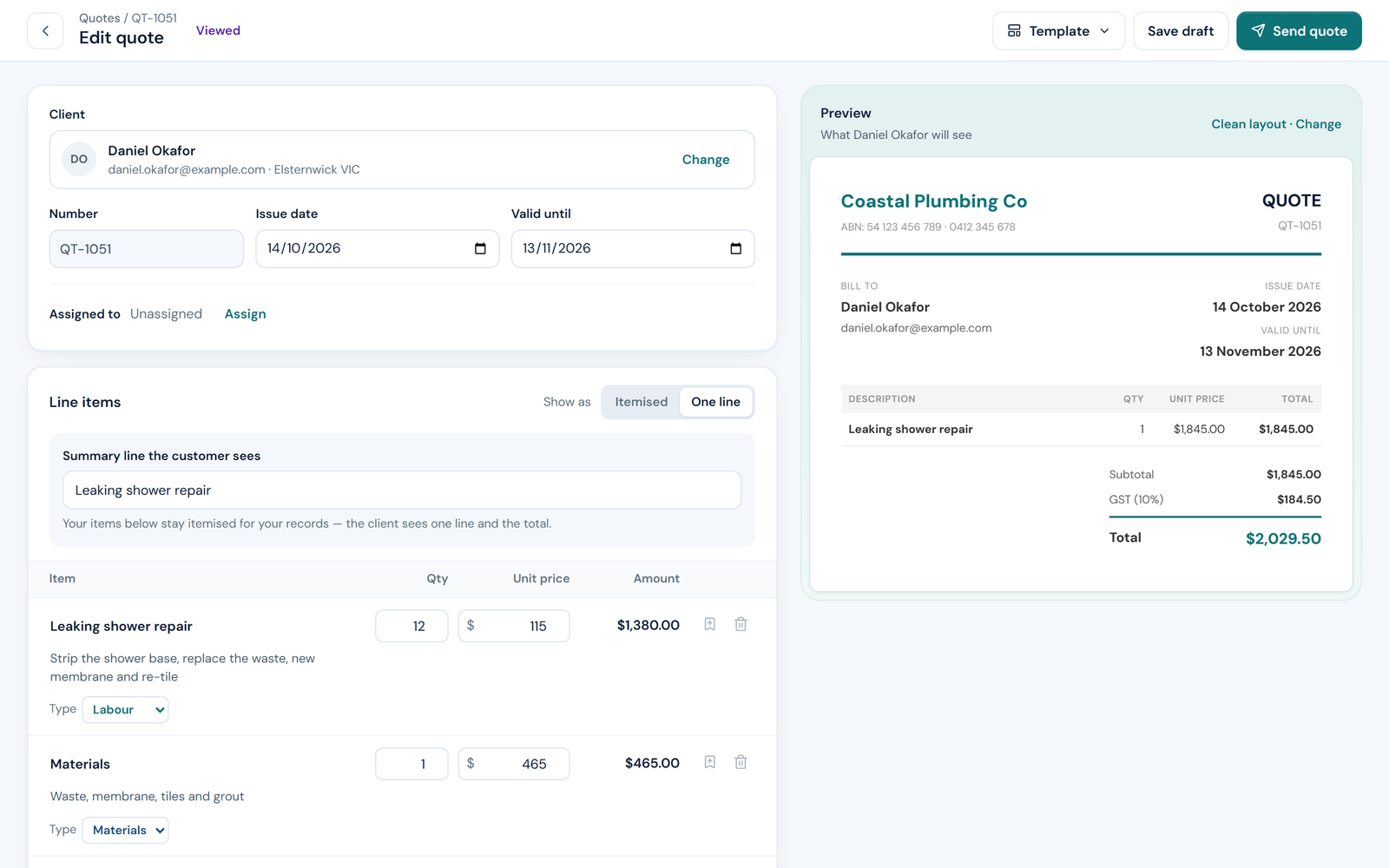
- Your client sees one line and the total — on the web page, the PDF and the email.
- You still see every line in JobFlo, and your reports and accounting exports stay itemised.
- Switch back to Itemised at any time.
Was this article helpful?