Quoting software for tradies
Send the quote before you’ve left the driveway
Build a quote from your saved prices, send it in a tap and let the customer approve it online. When they say yes, it becomes the invoice.
- Works on your phone
- Australian owned
- From $9.99 a month
- 14 days free, no card
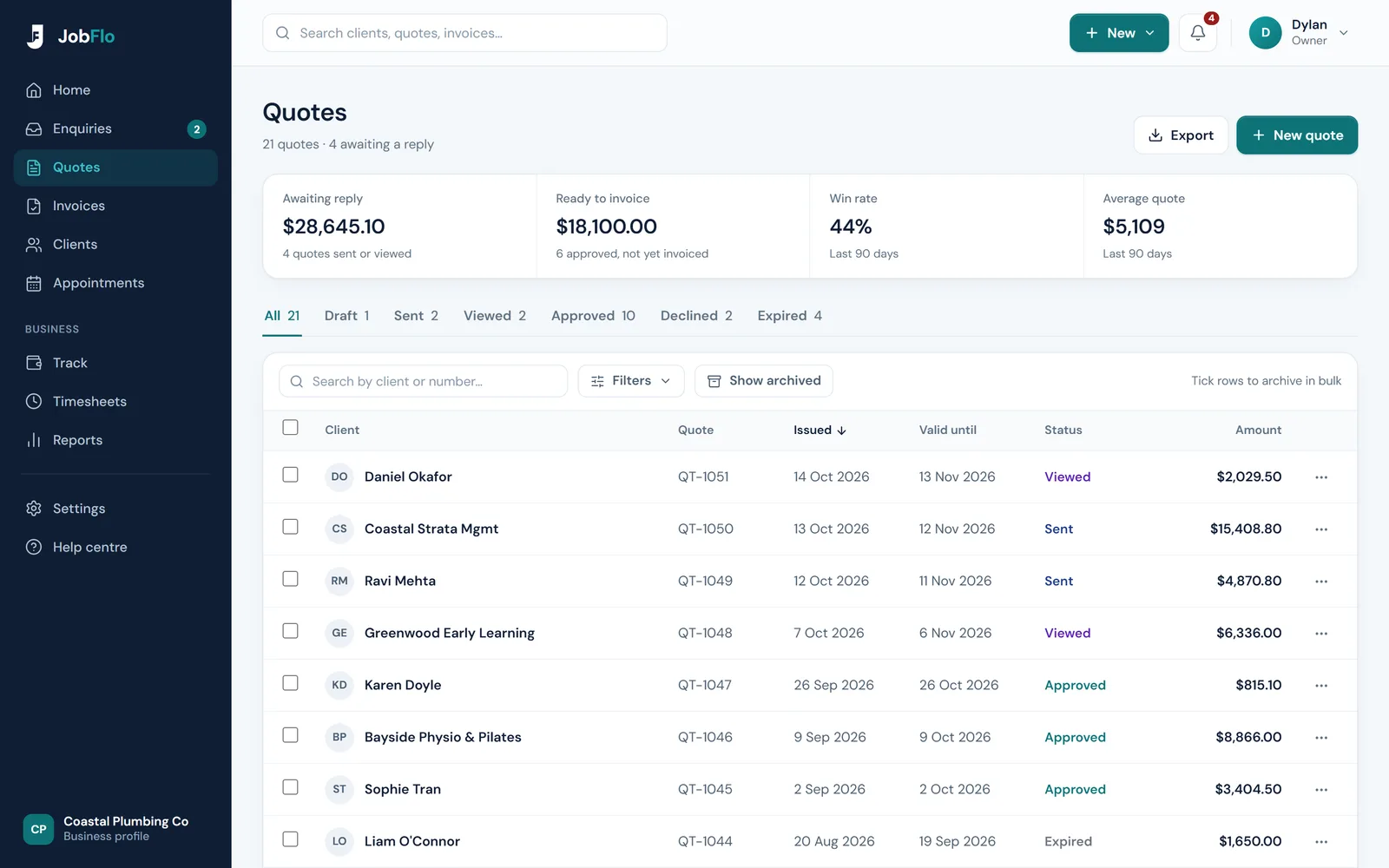
- Saved prices so your usual items go in with a tap
- Approved online without printing or scanning
- Viewed and approved so you know when to follow up
- One click from approved quote to invoice
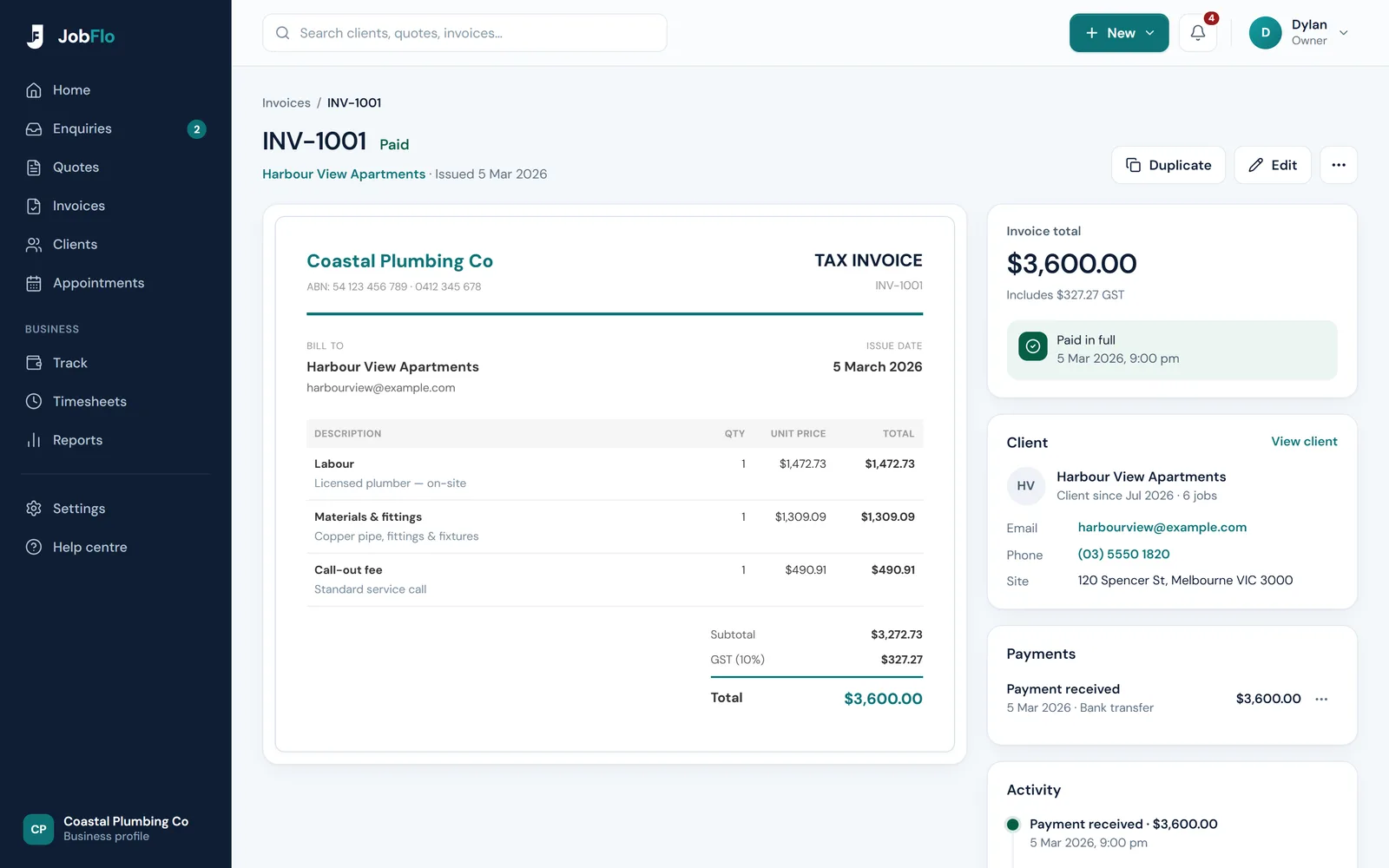
Won the job? It’s already an invoice
Turn an approved quote into an invoice in one click, or split it into a deposit and progress payments first. Nothing to type twice.
- Deposits and progress payments
- Customers pay by card or bank transfer
- Every quote and its invoice in one place
Payment stages and card payments are on Pro and Business.
What you get
Your price list
Labour, materials and call-out fees saved once and added in a tap. See cost and margin on every line, visible only to you.
Cost and margin on Pro and BusinessApprove and sign online
Customers open the quote from a link, approve it and sign. It changes to approved in JobFlo straight away.
Signatures on Pro and BusinessShow it as one line
Give the customer a single summary line and a total, and keep the detailed items for yourself.
Templates
Save the jobs you quote all the time and start the next one already filled in.
Quote expiry
Set how long a quote stands, so old prices don’t come back to bite you.
Photos
Attach photos of the job so the customer knows exactly what they’re approving.
Pro and BusinessThe JobFlo app
Quote from the ute, finish at the desk
Start a quote on site in the JobFlo app and finish it on the computer that night. It’s one account, so everything is in both places.
Common questions
How long does it take to make a quote?
Once your prices are saved, most quotes take a couple of minutes: pick the client, add your items, send.
Can my customer accept the quote online?
Yes. They open the link from your email, review the quote and approve it. On Pro and Business they sign it too.
Can I show a total without listing every item?
Yes. Show the customer one summary line while you keep the detailed items.
What happens after the quote is approved?
Convert it to an invoice in one click, or set up a deposit and progress payments first.
Step-by-step guides
More of what JobFlo does
Send your next quote with JobFlo
14 days of Pro, free. No credit card. Plans from $9.99 a month.
Start free trialNeed a one-off quote right now? Try the free quote generator